AFCAD 2004 Central Asia Просмотр ZIP-архива
readme.txt
RUSSIA & MIDDLE ASIA REPUBLIC AIRPORTS Part 1
Upgrade files for FS2004
=====================================

These files enable the FS2002 scenery collection of Russia & Middle East Republic Airports Part 1 by Vladimir Svobodfor - rusnew.zip - to work with FS2004 (with the exception of one airport) and also includes EditVoicepack files to provide proper names on the ATC for the airports concerned. However, please do not expect the transition to FS2004 to be perfect, there may be minor discrepancies.

The new AFCAD files  will allow you to plan routes, and take off and land at all but one of the airports in the scenery collection, and ATC will route you appropriately. Several of the airports have ILS systems.

AI aircraft can be added, and will land, taxi, park and take off in the correct locations.

I do not propose to go into detail here on how to create AI traffic - that would be a book in itself! If you don't know how to do this, search the web for the subject as there are many helpful web pages and forums to be found.

A full list of the airport files included is:
UAAT,N45* 04.1999',E78* 15.5999',1938.5	// Taldykorgan
UACK,N53* 11.3999',E69* 21.5999',863.2	// Kokshetau
UACP,N54* 26.9999',E69* 06.5999',453.1	// Petropavlovsk
UADD,N42* 30.6047',E71* 10.7938',2178.5	// Taraz
UAFA,N42* 10.1393',E77* 25.2249',5365.4	// Tamga
UAFS,N40* 15.2692',E72* 46.5983',4805.2	// Kyzyl Kyia
UAFT,N42* 27.5249',E72* 03.1949',3956.0	// Talas
UAJT,N43* 10.7949',E68* 13.1949',810.2	// Turkestan
UAON,N46* 07.6749',E63* 08.9249',268.1	// Baykonur Yubileyny
UAOO,N44* 25.1999',E65* 20.9999',433.1	// Kzyl Orda
UASB,N51* 20.9999',E75* 07.7999',774.2	// Ekibastuz
UASK,N50* 01.1857',E82* 15.9972',938.3	// Kamenogorsk
UASP,N52* 05.3849',E77* 06.7749',410.1	// Pavlodar
UASS,N50* 10.9428',E80* 08.8498',768.2	// Semipalatinsk Zhana-Semey
UAUR,N50* 11.3989',E66* 34.8005',1273.3	// Arkalyk
UBEE,N40* 22.7999',E47* 04.7999',49.0	// Evlakh
UEBB,N67* 22.7999',E134* 24.5999',695.2	// Batagay
UEBK,N70* 20.9998',E134* 17.9999',1017.3// Kular
UEEA,N58* 37.9950',E125* 26.9999',2290.6// Aldan
UEMA,N66* 16.7999',E143* 08.3999',658.2	// Moma
UEMH,N62* 26.9999',E136* 30.5999',932.3	// Khandyga
UEMM,N62* 03.5999',E129* 19.7999',577.1	// Magan
UEMO,N60* 13.7999',E120* 16.7999',722.2	// Olekminsk
UENN,N63* 12.4649',E118* 09.2849',401.1	// Nyurba
UENV,N63* 45.3149',E121* 38.5649',360.1	// Vilyuisk
UTAN,N39* 21.4549',E54* 08.7149',30.0	// Nebit Dag
UTAU,N39* 06.2449',E63* 18.7449',575.1	// Chardzhou
UTAY,N37* 22.1949',E61* 31.8049',692.2	// Mary
UTAZ,N41* 27.2149',E59* 30.0349',272.1	// Tashauz
UTDT,N37* 29.8949',E68* 27.0949',1473.4	// Kurgan-Tube
UTKA,N40* 27.0449',E72* 06.9549',2024.5	// Andizhan
UTKF,N40* 15.1049',E71* 22.5349',2310.6	// Fergana
UTKK,N38* 27.8449',E65* 31.1349',1190.3	// Karshi
Z25Y,N55* 52.7029',E38* 03.5535',498.0	// Chkalovskoe

If you are generating AI traffic to these airports, you will need to ensure the above entries are in your airports file.

Please note that some concessions have had to be made to Flights Simulator, and some ICAO codes have had to be changed to avoid having two airports with the same ICAO code:

Zhezhazgan, Kazakhstan (UAKD)
This airport exists in FS2004, but the add-on scenery will replace it. The airport is already listed in the "airports.txt" file for Traffictools and does not require alteration.

Vladivostok Knevichi, Russian Federation (UHWW)
Another airport that already exists in FS2004, but the new scenery blends in nicely.

Turkmenbashi, Turkmenistan (UTAK)
This airport exists in FS2004, but the new scenery is in a slightly different location. Please amend the entry in your "airports.txt" file to read:
UTAK,N40* 03.3000',E53* 00.5000',-65
It is also at a substantially lower level (below sea level!) and you will run into trouble with AI traffic floating above the airport. Follow the instructions in my file "scfAFD1a" which can be found on Avsim and Flightsim.com to resolve this issue.

Mary, Turkmenistan (UTAM)
This airport also exists in FS2004, but it is a considerable distance from the airport of the same name in the add-on scenery. Owing to the limitations of Flight Simulator, I have had to allocate a new (unofficial code of UTAY for this airport. Two AFCAD files are included for Mary, and both should be installed. That for UTAM marks the FS2004 airport as "closed" and that for UTAY is for the new scenery. Don't forget that any AI traffic to Mary will need to be shown in the TrafficTools "flightplans.txt" as UTAY instead of UTAM.

Karshi Khanabad, Uzbekistan (UTSK)
The same applies here as for Mary - the "new" airport has been allocated the unoficial code UTKK and an AFCAD file has been provided for both.

Cholpan-Ata (UAFG)
For reasons I cannot explain, Cholpan-Ata (UAFG) appears several feet above a large lake in FS2004! Obviously this looks more than a little daft, and it is probably best to remove the airport altogether. To avoid any risk of finding a runway upm in the sky, you may wish to delet the files UAFG.bgl and uafg_A16N.bgl or rename them to have a non-bgl suffix.

Tashauz, Turkmenistan (UTAT)
The ICAO code UTAT is used by FS2004 for Dashoguz, so the unofficial code UTAZ has been allocated to Tashauz.

At a few other airports, the elevation has been manipulated so that the scenery fits the FS2004 mesh. At some locations you may occasionally experience "bleed-throughs" of the grass beneath runways or taxiways when viewed from certain angles - I'm afraid I do not know the solution to this.


INSTALLATION

You will make backups before changes, won't you!

1. Install the Russia & Middle East Republic Airports Part 1 scenery into FS2004 as described by the author.

2. Place the AF2_xxxx.bgl files into the "scenery" folder of the same folder that the FS2002 scenery has been installed to. This varies from the usual recommended procedure of placing such files in the ......FS9\Addon Scenery\scenery folder. The advantage of doing this the way suggested here is that if you choose to turn off the add-on scenery, the A&F Data will be turned off too, reverting to the Microsoft default data.

3. To install the voice files to the ATC system, you will need the free software called EditVoicepack by Lars Mшllebjerg available at http://bevelstone.xs4all.nl/FlightSimulator/EditVoicepack or from most Flight Simulator download sites. Just follow the instructions to import files. I make no claims regarding the pronunciation of the names (I do not speak the language) and would welcome any corrections that those with better knowledge could make.

4. Start up (or restart) the Flight Simulator and the changes will be activated.

COPYRIGHT
These files are free to you. You must not make money out of them!

Happy flying!

John Hinson                             |
Harrow, UK                         ===X=O=X===
[email protected]                    '   '
May 2004
rap2004u.zip
| Имя файла | Дата | Размер |
|---|---|---|
| andizhan.vcpmod | 30.04.2004 23:35 | 4 KB |
| arkalyk.vcpmod | 26.04.2004 19:23 | 4 KB |
| chardzhou.vcpmod | 30.04.2004 15:43 | 5 KB |
| ekibastuz.vcpmod | 08.04.2004 23:07 | 5 KB |
| vilyuisk.vcpmod | 29.04.2004 13:16 | 5 KB |
| yubelayny.vcpmod | 08.04.2004 02:50 | 5 KB |
| baykonur.vcpmod | 08.04.2004 02:36 | 4 KB |
| UAAT.vcpmod | 01.04.2004 14:55 | 6 KB |
| UACK.vcpmod | 01.04.2004 17:04 | 3 KB |
| UADD.vcpmod | 03.04.2004 02:18 | 3 KB |
| UAFS.vcpmod | 03.04.2004 23:37 | 3 KB |
| UAFT.vcpmod | 04.04.2004 17:35 | 4 KB |
| UAJT.vcpmod | 04.04.2004 18:02 | 3 KB |
| UAON.vcpmod | 08.04.2004 02:59 | 6 KB |
| UAOO.vcpmod | 08.04.2004 20:57 | 3 KB |
| UASB.vcpmod | 08.04.2004 23:03 | 5 KB |
| UASK.vcpmod | 26.04.2004 18:45 | 4 KB |
| UASP.vcpmod | 26.04.2004 18:48 | 3 KB |
| UAUR.vcpmod | 26.04.2004 19:28 | 4 KB |
| UBEE.vcpmod | 26.04.2004 22:44 | 4 KB |
| UEBB.vcpmod | 26.04.2004 23:15 | 3 KB |
| UEBK.vcpmod | 26.04.2004 23:45 | 4 KB |
| UEEA.vcpmod | 27.04.2004 11:04 | 3 KB |
| UEMA.vcpmod | 27.04.2004 11:04 | 4 KB |
| UEMH.vcpmod | 29.04.2004 11:35 | 5 KB |
| UEMM.vcpmod | 28.04.2004 20:57 | 4 KB |
| UEMO.vcpmod | 29.04.2004 12:00 | 3 KB |
| UENN.vcpmod | 29.04.2004 12:16 | 3 KB |
| UENV.vcpmod | 29.04.2004 13:08 | 5 KB |
| UTAN.vcpmod | 29.04.2004 23:59 | 5 KB |
| UTAU.vcpmod | 30.04.2004 15:38 | 5 KB |
| UTAZ.vcpmod | 30.04.2004 08:43 | 4 KB |
| UTDT.vcpmod | 30.04.2004 18:20 | 4 KB |
| UTKA.vcpmod | 30.04.2004 23:34 | 4 KB |
| UTKF.vcpmod | 01.05.2004 03:34 | 4 KB |
| UTKK.vcpmod | 01.05.2004 11:23 | 3 KB |
| UTKN.vcpmod | 01.05.2004 10:50 | 5 KB |
| evlakh.vcpmod | 26.04.2004 22:38 | 4 KB |
| fergana.vcpmod | 01.05.2004 03:36 | 4 KB |
| kamenogorsk.vcpmod | 26.04.2004 18:16 | 4 KB |
| karshi.vcpmod | 01.05.2004 11:24 | 3 KB |
| khandyga.vcpmod | 29.04.2004 11:41 | 5 KB |
| Kular.vcpmod | 26.04.2004 23:49 | 4 KB |
| kurgan-tube.vcpmod | 30.04.2004 18:22 | 4 KB |
| kyzlorda.vcpmod | 08.04.2004 21:00 | 3 KB |
| magan.vcpmod | 28.04.2004 20:54 | 4 KB |
| moma.vcpmod | 27.04.2004 11:08 | 4 KB |
| namangan.vcpmod | 01.05.2004 10:49 | 5 KB |
| nebitdag.vcpmod | 30.04.2004 00:03 | 5 KB |
| pavlodar.vcpmod | 26.04.2004 18:47 | 3 KB |
| takdykorgan.vcpmod | 01.04.2004 15:07 | 6 KB |
| talas.vcpmod | 04.04.2004 17:32 | 4 KB |
| tamga.vcpmod | 03.04.2004 12:35 | 4 KB |
| tashauz.vcpmod | 30.04.2004 08:43 | 4 KB |
| readme.txt | 08.05.2004 10:16 | 7 KB |
| AF2_UAON.bgl | 08.04.2004 18:20 | 7 KB |
| AF2_UAOO.bgl | 08.04.2004 23:09 | 3 KB |
| AF2_UASB.bgl | 08.04.2004 23:08 | 3 KB |
| AF2_UASK.bgl | 26.04.2004 18:21 | 3 KB |
| AF2_UASP.bgl | 26.04.2004 19:01 | 3 KB |
| AF2_UASS.bgl | 02.05.2004 14:32 | 6 KB |
| AF2_UAUR.bgl | 26.04.2004 19:15 | 2 KB |
| AF2_UBEE.bgl | 26.04.2004 22:28 | 2 KB |
| AF2_UEBB.bgl | 04.05.2004 03:52 | 3 KB |
| AF2_UEBK.bgl | 26.04.2004 23:41 | 2 KB |
| AF2_UEEA.bgl | 27.04.2004 10:39 | 2 KB |
| AF2_UEMA.bgl | 27.04.2004 11:08 | 1 KB |
| AF2_UEMH.bgl | 27.04.2004 14:03 | 2 KB |
| AF2_UEMM.bgl | 28.04.2004 20:49 | 2 KB |
| AF2_UEMO.bgl | 29.04.2004 12:01 | 2 KB |
| AF2_UENN.bgl | 04.05.2004 03:59 | 2 KB |
| AF2_UENV.bgl | 29.04.2004 12:57 | 2 KB |
| AF2_UHWW.bgl | 29.04.2004 16:36 | 5 KB |
| AF2_UTAK.bgl | 30.04.2004 00:24 | 5 KB |
| AF2_UTAM.bgl | 04.05.2004 04:08 | 5 KB |
| AF2_UTAN.bgl | 29.04.2004 23:49 | 2 KB |
| AF2_UTAU.bgl | 30.04.2004 15:44 | 4 KB |
| AF2_UTAY.bgl | 30.04.2004 04:35 | 4 KB |
| AF2_UTDT.bgl | 30.04.2004 18:06 | 2 KB |
| AF2_UTKA.bgl | 30.04.2004 23:28 | 3 KB |
| AF2_UTKF.bgl | 01.05.2004 03:28 | 4 KB |
| AF2_UTKK.bgl | 01.05.2004 11:21 | 3 KB |
| AF2_UTKN.bgl | 01.05.2004 11:00 | 3 KB |
| AF2_UTSK.bgl | 04.05.2004 04:15 | 478 B |
| AF2_Z25Y.bgl | 04.05.2004 04:18 | 4 KB |
| AF2_UAAT.bgl | 01.04.2004 20:42 | 2 KB |
| AF2_UACK.bgl | 04.05.2004 02:57 | 3 KB |
| AF2_UACP.bgl | 02.05.2004 08:05 | 3 KB |
| AF2_UADD.bgl | 04.05.2004 03:20 | 2 KB |
| AF2_UAFA.bgl | 04.05.2004 03:24 | 2 KB |
| AF2_UAFS.bgl | 03.04.2004 23:38 | 2 KB |
| AF2_UAFT.bgl | 04.04.2004 18:23 | 2 KB |
| AF2_UAJT.bgl | 04.04.2004 18:04 | 3 KB |
| AF2_UAKD.bgl | 04.04.2004 19:09 | 4 KB |
| AF2_UTAH.bgl | 04.05.2004 04:51 | 4 KB |
| uask.jpg | 08.05.2004 11:05 | 22 KB |
| uask.gif | 08.05.2004 11:11 | 5 KB |
| avsim_ru.diz | 31.08.2004 00:17 | 702 B |
| Итого: | 357 KB | |
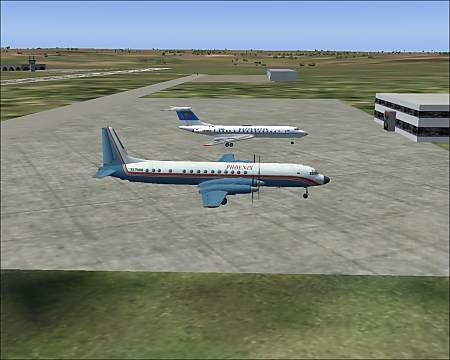
The archive contains AFCAD2 and audio files to ATC for the cities of Central Asia, some of which are not in Sime: Baikonur, Petropavlovsk, Almaty, Taraz, Tamga, Kyzyl Kyya, Talas, Turkestan, Kyzyl Orda, Ekibastuz, Kamenogorsk, Pavlodar, Semipalatinsk, Arkalyk, Nebit-Dag, Fergana, Karshi, Andijan, and others. For ustanovski sound files you will need EditVoicepack.
→ Size:
119 KB
→ Date:
22 years ago (19.05.2004 00:50)
→ Author:
John Hinson
→ License:
Freeware - Free version, Unlimited Distribution
→ Downloaded:
818 time(s)