Aeroflot CrewPack for FS Announcement Panel v3.1: AUTOMATIC Просмотр ZIP-архива
README(ENG)_AFL.txt
********************************************************************************************************************************
Aeroflot CrewPack for FS Announcement Panel v3.1: AUTOMATIC
Microsoft Flight Simulator 2004 / Microsoft Flight Simulator X / Lockheed Martin Prepar3D
********************************************************************************************************************************
© 2019 Harrier Panels. All Rights Reserved.
********************************************************************************************************************************
Aeroflot CrewPack Demo: https://youtu.be/F4rcz6Sa-zg
PANEL REVIEW: https://youtu.be/ohqpI3j7tds
********************************************************************************************************************************

 	USER GUIDE

********************************************************************************************************************************

	CONTENTS:
	1. Introduction ........................................ Page 1
	2. Installation and Removal ............................ Page 2
	3. Technical Information ............................... Page 3
	4. Credits ............................................. Page 4
	5. LEGAL ............................................... Page 4

--------------------------------------------------------------------------------------------------------------------------------

		1. Introduction:

--------------------------------------------------------------------------------------------------------------------------------

Aeroflot CrewPack (IATA: SU, ICAO: AFL, Callsign: AEROFLOT) for FS Announcement Panel v3.1: AUTOMATIC and v3.1 SCS Tu-134 Edition. Messages in  Russian / English. Suitable for any airport. IMPORTANT: Both FS Announcement Panel v3.0: AUTOMATIC and v3.1 Update
are required and should be installed prior to installing the crewpack.

--------------------------------------------------------------------------------------------------------------------------------

		2. Installation and Removal:

--------------------------------------------------------------------------------------------------------------------------------
		Installation
--------------------------------------------------------------------------------------------------------------------------------

2.1 To install the CrewPack start the program SETUP.exe. Follow the instructions of the installation program.

--------------------------------------------------------------------------------------------------------------------------------
NOTE: If the installation program is unable to detect your flight simulator folder chose it manually.
--------------------------------------------------------------------------------------------------------------------------------

The program will install the necessary files.

2.2 Choose an aircraft the CrewPack will be used with.

2.3 Configure the Panel.cfg of your aircraft as follows:

a. In the [Vcockpit01] find a string for a crewpack and replace an ICAO code in the string with a 3 letters ICAO code of the
crewpack you are installing:

gauge**=HarrierFSAP3.0_Crew!sound, 2,2,3,3,./Sound/HarrierFSAPSounds/3.0/***/HarrierFSAP3.0.ini

        ** is a sequence number of the gauge, *** is an ICAO code of the installed crewpack;

--------------------------------------------------------------------------------------------------------------------------------
NOTE: For SCS Tu-134 v2.0 for FSX it is recommended to set an increased button / switch click sound volume of by replacing the
name of the HarrierFSAP3.0.ini file with HarrierFSAP3.0_X.ini (see a.).
--------------------------------------------------------------------------------------------------------------------------------

b. Save your Panel.cfg file.

--------------------------------------------------------------------------------------------------------------------------------

2.4 See FS Announcement Panel v3.0 manual and v3.1 as well for Instructions of Usage.

--------------------------------------------------------------------------------------------------------------------------------
HINT: Upon arrival set the parking brake at the arrival gate.
--------------------------------------------------------------------------------------------------------------------------------
			REMOVAL
--------------------------------------------------------------------------------------------------------------------------------

2.5 Run UninstallFSAP3.1_AFL.exe from within the main FS9/FSX/P3D folder or from the Programs Menu.

2.6 Open in the notepad the Panel.cfg file of the aircraft you used the crewpack with.

2.7 Follow the steps in the 2.3 section of this manual to replace the installed ICAO code with the default AAL for American
Airlines.

2.8 Save your Panel.cfg.

--------------------------------------------------------------------------------------------------------------------------------

		3. Technical Information:

--------------------------------------------------------------------------------------------------------------------------------

3.1 Upon arrival set the parking brake at the arrival gate only! Use brakes if you need to stop after having vacated the runway.

********************************************************************************************************************************


		4. CREDITS

	Noel Marsh-Giddings
	inflight Video
	Harrier Panels


********************************************************************************************************************************

            LEGAL:

This product including all files contained within this package is copyright © Harrier
Panels. The information provided within this document and the package is not
intended for real world aviation. All trademarks and/or logos mentioned and/or
displayed within this package are property of their respective holders and are being
used solely with the purpose of simulating reality.

		NOT FOR COMMERCIAL USE

********************************************************************************************************************************

Have a nice flight!

Harrier Panels

--------------------------------------------------------------------------------------------------------------------------------
© 2019 Harrier Panels. All Rights Reserved. E-mail: [email protected]
--------------------------------------------------------------------------------------------------------------------------------
Harrier Panels YouTube: https://www.youtube.com/channel/UCWmAfnW6k6fibf7gVd-q2Tg
65527-Harrier-FSAP3.1-AFL.zip
| Имя файла | Дата | Размер |
|---|---|---|
| Setup.exe | 26.07.2019 17:21 | 11 MB |
| Harrier_FSAP3.1_AFL.gif | 26.07.2019 00:03 | 12 KB |
| Harrier_FSAP3.1_AFL-1.gif | 25.07.2019 22:43 | 14 KB |
| Harrier_FSAP3.1_AFL.jpg | 26.07.2019 00:16 | 143 KB |
| Harrier_FSAP3.1_AFL_Ru.jpg | 26.07.2019 00:44 | 144 KB |
| README(ENG)_AFL.txt | 26.07.2019 17:01 | 7 KB |
| README(RUS)_AFL.TXT | 26.07.2019 17:03 | 6 KB |
| avsim_su.diz | 26.07.2019 22:17 | 310 B |
| Итого: | 11 MB | |
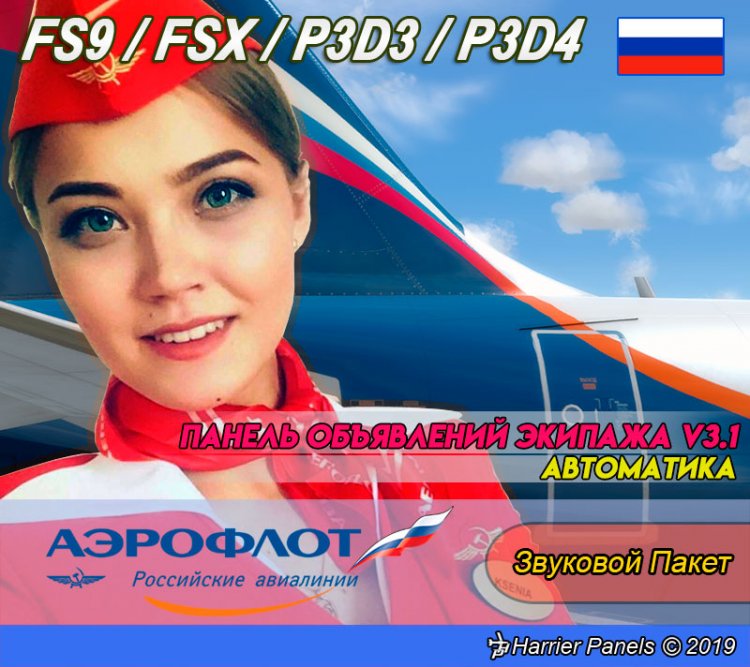
Aeroflot CrewPack (IATA: SU, ICAO: AFL, Callsign: AEROFLOT) for FS Announcement Panel v3.1: AUTOMATIC and v3.1 SCS Tu-134 Edition. Messages in Russian / English. Suitable for any airport. IMPORTANT: Both FS Announcement Panel v3.0: AUTOMATIC and v3.1 Update
are required and should be installed prior to installing the crewpack.
Aeroflot CrewPack Demo:
https://youtu.be/F4rcz6Sa-zg
PANEL REVIEW:
https://youtu.be/ohqpI3j7tds
Discussion:
https://www.avsim.su/forum/topic/159508-панель-объявлений-экипажа-harrier-panels/
are required and should be installed prior to installing the crewpack.
Aeroflot CrewPack Demo:
https://youtu.be/F4rcz6Sa-zg
PANEL REVIEW:
https://youtu.be/ohqpI3j7tds
Discussion:
https://www.avsim.su/forum/topic/159508-панель-объявлений-экипажа-harrier-panels/
→ Size:
11 MB
→ Date:
7 years ago (26.07.2019 19:42)
→ Author:
Harrier
→ Approved by moderator:
Lenya69
→ License:
Freeware - Free version, Unlimited Distribution
→ Downloaded:
344 time(s)