MOUSE-AS-YOKE GAUGE version 1.0.23 Просмотр ZIP-архива
Readme.txt
                     MOUSE-AS-YOKE GAUGE
                     ===================
                 version 1.0.23 (Sep 8, 2004)

<disclaimer.h>
==============

This product is a freeware. And I DO NOT PROVIDE ANY KIND OF WARRANTY.
Use it on your own risk. You may use it for ANY purpose everywhere
you want.

Capabilities:
=============
Controls ailerons, elevator, rudder, throttle of any aircraft.
Can be added to any panel. Can be set transparent and invisible.
Great thing for notebooks, even with touchpad!

What's new:
=============
1.0.23: Completely rewritten code. Since it uses now new way of
low-level capturing of mouse events, this gauge does not work
under Windows 98. But due to it's precise operation, it gives
very smooth control, which is much better than in previous versions.
Probably, this gauge will work with MSFS2002. Unfortunately, controls
may be inverted in some cases. I'm trying to fix this incompatibility now.

Installation:
=============

1. Put the "MGauge.gau" file to the "\Gauges" directory at MSFS root.
2. Manually add the gauge to panels of your aircrafts. For instance,
   adding the gauge to Cessna-172:
   a) find the file "\Aircraft\c172\panel\panel.cfg"
   b) make a backup copy of this file
   c) open panel.cfg with notepad
   d) find the following part of the file and insert gauge:
	[Window Titles]
	Window00=Main Panel
	Window01=Radio Stack
	Window02=GPS
	Window03=Annunciator
	Window04=Compass
	Window05=Mini Panel
	;************* Insertion starts here ************
	Window06=Myoke
	[Window06]
	size_mm=100,100
	position=0
	type=SPECIAL
	// background_color enables transparency
	background_color=0, 0, 0
	gauge00=MGauge!Myoke,  0,0,100,100
	;************* Insertion ends here ************
	[Window00]
	file=panel_background_640.bmp

   e) now run the MSFS, create a flight with Cesna 172 and start it
   f) when the flight is loaded, press Shift+6 to open the gauge window.
      It appears in top-left corner of MSFS window, and is available
      in all views.

Notes: Window06 is the first free panel window for Cessna-172 panel.
     Other aircrafts may have another first free window, therefore
     you must change "Window06" to something else.
     Some panels show too small rectangle for this gauge. To double gauge
     size, try to set "size_mm=200,200", and replace "100,100" with the
     same values in the gauge00 line.
     Don't forget to reload aircraft in order to take effects of the
     changes in panel.cfg.

USING THE GAUGE
================

To turn on the gauge, right-click it in the central square. Mouse cursor
will be locked to the center of MSFS window. You can unlock mouse by
right-clicking once again.

When the gauge is turned on, moving mouse will move ailerons and elevator.
Their position is indicated by dots moving across the gauge.

Moving mouse left and right with left button pressed (i.e. dragging) will
change rudder position (it is indicated as yellow pointer on
the right edge of the gauge). Note that if "autorudder" is turned on in MSFS,
you will be able to control rudder only while taxiing. Turn "autorudder" off
if you wish to control rudder during flight.

Throttle is controlled by mouse wheel.

Middle mouse button may be used for instant centering aileron/rudders.

====================================================
That's all for now. Comments are welcome.
	Yury Kuchura
	[email protected]
	http://www.classcom.by/oms
63637-mgauge23.zip
| Имя файла | Дата | Размер |
|---|---|---|
| MGauge.gau | 08.09.2004 23:31 | 60 KB |
| Readme.txt | 09.09.2004 00:23 | 3 KB |
| MGauge.gif | 08.09.2004 23:55 | 18 KB |
| flyawaysimulation.txt | 30.10.2013 03:09 | 959 B |
| Go to Fly Away Simulation.url | 22.01.2016 14:07 | 52 B |
| avsim_su.diz | 10.01.2019 11:13 | 310 B |
| Итого: | 83 KB | |
MOUSE-AS-YOKE GAUGE version 1.0.23
| Rating: 5!
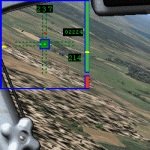
Controls ailerons, elevator, rudder, throttle of any aircraft.
Can be added to any panel. Can be set transparent and invisible.
Great thing for notebooks, even with touchpad!
Can be added to any panel. Can be set transparent and invisible.
Great thing for notebooks, even with touchpad!
→ Size:
45 KB
→ Date:
7 years ago (10.01.2019 08:33)
→ Author:
Yury Kuchura
→ Approved by moderator:
Valerapol
→ License:
Freeware - Free version, Unlimited Distribution
→ Downloaded:
1007 time(s)