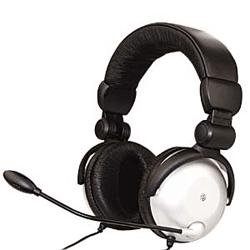
The program is designed for voice control of computer. I mean in-flight if you like hands busy "than that")), and you need to release the landing gear: you voice say (2 pilots): "release gear", the program pushes knopachku G and the second pilot says the report "chassis available! . all to the banality of simple manual in Russian. Sam SЋR·R°SЋ long time, me from the helm is very convenient! That's decided to share with you, dear friends !!!)))) can be used not only in the Sim, but in general: he said: the Internet - start the browser, said: "Well it nafig - PC passed out. Words are asking themselves. Yuzayte, and it handles up to klavy sometimes do not reach !))))
→ Size:
7 MB
→ Date:
16 years ago (09.01.2010 13:12)
→ Author:
Пронкин Виталий
→ Approved by moderator:
Builder
→ License:
Freeware - Free version, Unlimited Distribution
→ Downloaded:
6131 time(s)
Скачал-все работает супер! Теперь по моей команде выпускаются и убираются закрылки, шасси, посадочные фары и т.д. Классная программа! − Matrix_Buka, 14 years ago, #
Установите Game Commander2.
Cкопируйте файл Flight Simulator 2004.gcc C/Program Files/Game Commander 2/Profiles/My Profiles. (брать тут - http://www.avsim.su/f/fs2004-utiliti-45/upravlenie-golosom-ili-kak-zastavit-rabotat-vtorogo-pilota-21284.html?action=comments&hl=голосовое управление )
Откройте Game Commander 2, в левом окошке должно быть My Profiles, а в правом Flight Simulator 2004. Программа ОТЛИЧНО ПОНИМАЕТ РУССКИЙ ЯЗЫК!!! Главное,что бы сама команда в меню - Так же была на русском! Хорошо настроенный микрофон - залог успеха в пользовании данной программы ! Единственный недостаток который я обнаружил (хотя может он вполне решим) при команде "реверс" он нажимает один раз F2 ... (получается как бы - малый реверс) для максимального реверса необходимо несколько раз сказать "реверс" (Тест проводился на Wilco a320) Ну прога зачетная ! =) − ewq, 12 years ago, #