KLN-90B_v7_20022008
| Rating: 5!
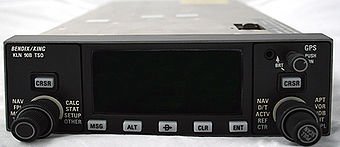
I know of the extreme version of PLN. I decided to post it because many of the installer (IL-86, IL-38, PT Tu-154M) have included an old version of KLN. To work properly, you must copy the file awxkln90b in the Fonts folder in the root of the simulator. Example "C: FlightSim 9Fonts"
→ Size:
268 KB
→ Date:
15 years ago (03.11.2010 23:37)
→ Author:
Роман Петкевич
→ Approved by moderator:
Aleks_Balagur
→ License:
Freeware - Free version, Do Not Redistribute
→ Downloaded:
3930 time(s)
1. There's a known issue if you focus the cursor on the "STAR-XXX" line and try to move it, e.g. to get a waypoint before the line. Workaround : delete the STAR , enter the waypoint, then re-enter the STAR.
2. SIDs or STARs with seven or more characters won't be displayed completely, as the KLN is limited to six chars. For your airports of interest, use the SID/STAR-Editor to edit these names to six chars.
3. If waypoints are too close together, e.g in several SIDs/STARs, the Autopilot can't follow them and might overshoot or even skip WPs. Remember, the Tu-154 Autopilot isn't the youngest anymore and might react a bit rough here and there. Also in the real plane, in case of big heading changes, it's common procedure to turn the lateral mode (e.g. HBY) off temporarily, execute this heading change with the small Autopilot turn knob, and then reconnect the mode.
The KLN GPS was retrofitted in the Tu-154M, do not expect the performance of todays Autopilots.
Know the strenght and weaknesses of your airplane and adjust accordingly. In case of SID / STARs overstraining the Autopilot abilities, fly these legs manually or use the turn knob ! − Disappear, 15 years ago, #