ATC Pack: ULLI for FS Announcement Panel v3.1: AUTOMATIC Просмотр ZIP-архива
README(ENG)_ATC_ULLI.txt
********************************************************************************************************************************
ATC Pack: ULLI for FS Announcement Panel v3.1: AUTOMATIC
Microsoft Flight Simulator 2004 / Microsoft Flight Simulator X / Lockheed Martin Prepar3D
********************************************************************************************************************************
© 2019 Harrier Panels. All Rights Reserved.
********************************************************************************************************************************
PANEL REVIEW: https://youtu.be/ohqpI3j7tds
********************************************************************************************************************************

	USER GUIDE

********************************************************************************************************************************

	CONTENTS:
	1. Introduction ........................................ Page 1
	2. Installation and Removal ............................ Page 2
	3. Instructions of Usage ............................... Page 3
	4. Credits ............................................. Page 4
	5. LEGAL ............................................... Page 4

--------------------------------------------------------------------------------------------------------------------------------

		1. Introduction:

--------------------------------------------------------------------------------------------------------------------------------

This update adds ATC communications at the Pulkovo International Airport (IATA: LED, ICAO: ULLI), St. Petersburg - Control,
Approach, Radar, Tower, for FS Announcement Panel v3.1: AUTOMATIC. IMPORTANT: Both FS Announcement Panel v3.0: AUTOMATIC and v3.1
Update are required and should be installed prior to installing the ATC Pack.

--------------------------------------------------------------------------------------------------------------------------------

		2. Installation and Removal:

--------------------------------------------------------------------------------------------------------------------------------
		Installation
--------------------------------------------------------------------------------------------------------------------------------

2.1 To install the update start the program SETUP.exe. Follow the instructions of the installation program.

2.2 Select the necessary installation option - either ATC Departure or ATC Destination.

--------------------------------------------------------------------------------------------------------------------------------
NOTE: If the installation program is unable to detect your flight simulator folder chose it manually.
--------------------------------------------------------------------------------------------------------------------------------

2.3 See 3. Instructions of Usage.

--------------------------------------------------------------------------------------------------------------------------------

			REMOVAL

--------------------------------------------------------------------------------------------------------------------------------

2.4 Run UninstallFSAP3.1_ATC_ULLI.exe from within the main FS9/FSX/P3D folder or from the Programs Menu.

--------------------------------------------------------------------------------------------------------------------------------

		3. Instructions of Usage:

---------------------------------------------------------------------------------------------------------------------------------

3.1. Depending on the option selected during the installation (see 2.2 of section 2. Installation and Removal), set the desired
COM-2 ATC frequency. The list of the assigned frequencies is as follows:

	   		 Control, Approach, Radar (departure airport - AM) - 118.0 MHz

	   		 Control, Approach, Radar (departure airport - PM) - 118.05 MHz

	   		 Tower (departure airport - AM) - 118.10 MHz

	   		 Tower (departure airport - PM) - 118.15 MHz

	   		 Control, Approach, Radar (destination airport - AM) - 118.25 MHz

	   		 Control, Approach, Radar (destination airport - PM) - 118.35 MHz

	   		 Tower (destination airport - AM) - 118.50 MHz

	   		 Tower (destination airport - PM) - 118.55 MHz

3.2 For more informations about ATC communications, please read the PDF User Manual v3.0 that is located in your Start > Programs
> Harrier Panels > FS Announcement Panel v3.0: AUTOMATIC.

********************************************************************************************************************************

            4. CREDITS:

			Harrier Panels


********************************************************************************************************************************

            LEGAL:

This product including all files contained within this package is copyright © Harrier
Panels. The information provided within this document and the package is not
intended for real world aviation. All trademarks and/or logos mentioned and/or
displayed within this package are property of their respective holders and are being
used solely with the purpose of simulating reality.

		NOT FOR COMMERCIAL USE

********************************************************************************************************************************

Have a nice flight!

Harrier Panels

---------------------------------------------------------------------------------------------------------------------------------
© 2019 Harrier Panels. All Rights Reserved. E-mail: [email protected]
---------------------------------------------------------------------------------------------------------------------------------
Harrier Panels Youtube: https://www.youtube.com/channel/UCWmAfnW6k6fibf7gVd-q2Tg
65645-Harrier-FSAP3.1-ATC-ULLI.zip
| Имя файла | Дата | Размер |
|---|---|---|
| Setup.exe | 16.08.2019 15:00 | 58 MB |
| Harrier_FSAP3.1_ATC_ULLI.gif | 16.08.2019 02:25 | 12 KB |
| Harrier_FSAP3.1_ATC_ULLI-1.gif | 16.08.2019 02:27 | 15 KB |
| Harrier_FSAP3.1_ATC_ULLI.jpg | 16.08.2019 02:10 | 166 KB |
| Harrier_FSAP3.1_ATC_ULLI_Ru.jpg | 16.08.2019 01:45 | 168 KB |
| README(RUS)_ATC_ULLI.TXT | 15.08.2019 22:34 | 5 KB |
| README(ENG)_ATC_ULLI.txt | 16.08.2019 15:05 | 6 KB |
| avsim_su.diz | 16.08.2019 12:35 | 310 B |
| Итого: | 58 MB | |
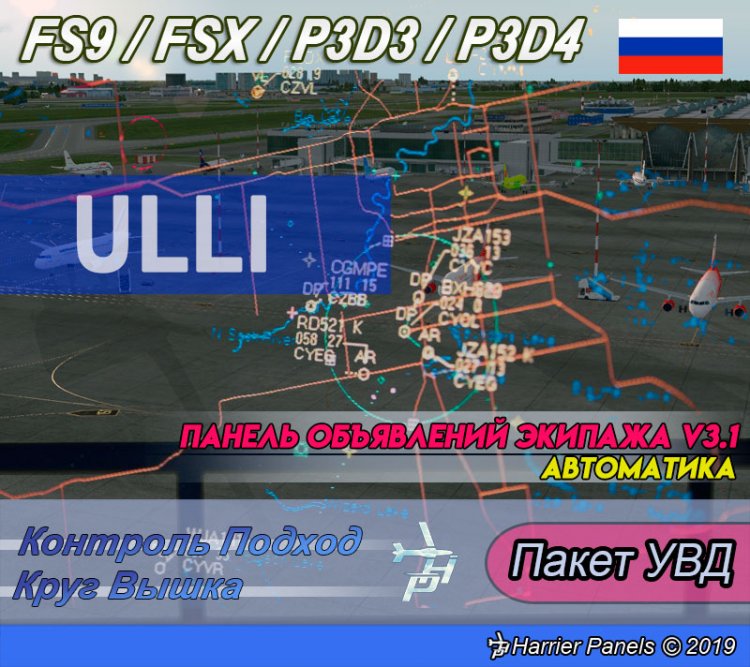
This update adds ATC communications at the Pulkovo International Airport (IATA: LED, ICAO: ULLI), St. Petersburg - Control, Approach, Radar, Tower, for FS Announcement Panel v3.1: AUTOMATIC.
IMPORTANT: Both FS Announcement Panel v3.0: AUTOMATIC and v3.1 Update are required and should be installed prior to installing the ATC Pack.
PANEL REVIEW:
https://youtu.be/ohqpI3j7tds
Discussion:
https://www.avsim.su/forum/topic/159508-панель-объявлений-экипажа-harrier-panels/
IMPORTANT: Both FS Announcement Panel v3.0: AUTOMATIC and v3.1 Update are required and should be installed prior to installing the ATC Pack.
PANEL REVIEW:
https://youtu.be/ohqpI3j7tds
Discussion:
https://www.avsim.su/forum/topic/159508-панель-объявлений-экипажа-harrier-panels/
→ Size:
58 MB
→ Date:
6 years ago (16.08.2019 11:54)
→ Author:
Harrier
→ Approved by moderator:
Ляпучка
→ License:
Freeware - Free version, Unlimited Distribution
→ Downloaded:
128 time(s)